Aggregated Insights
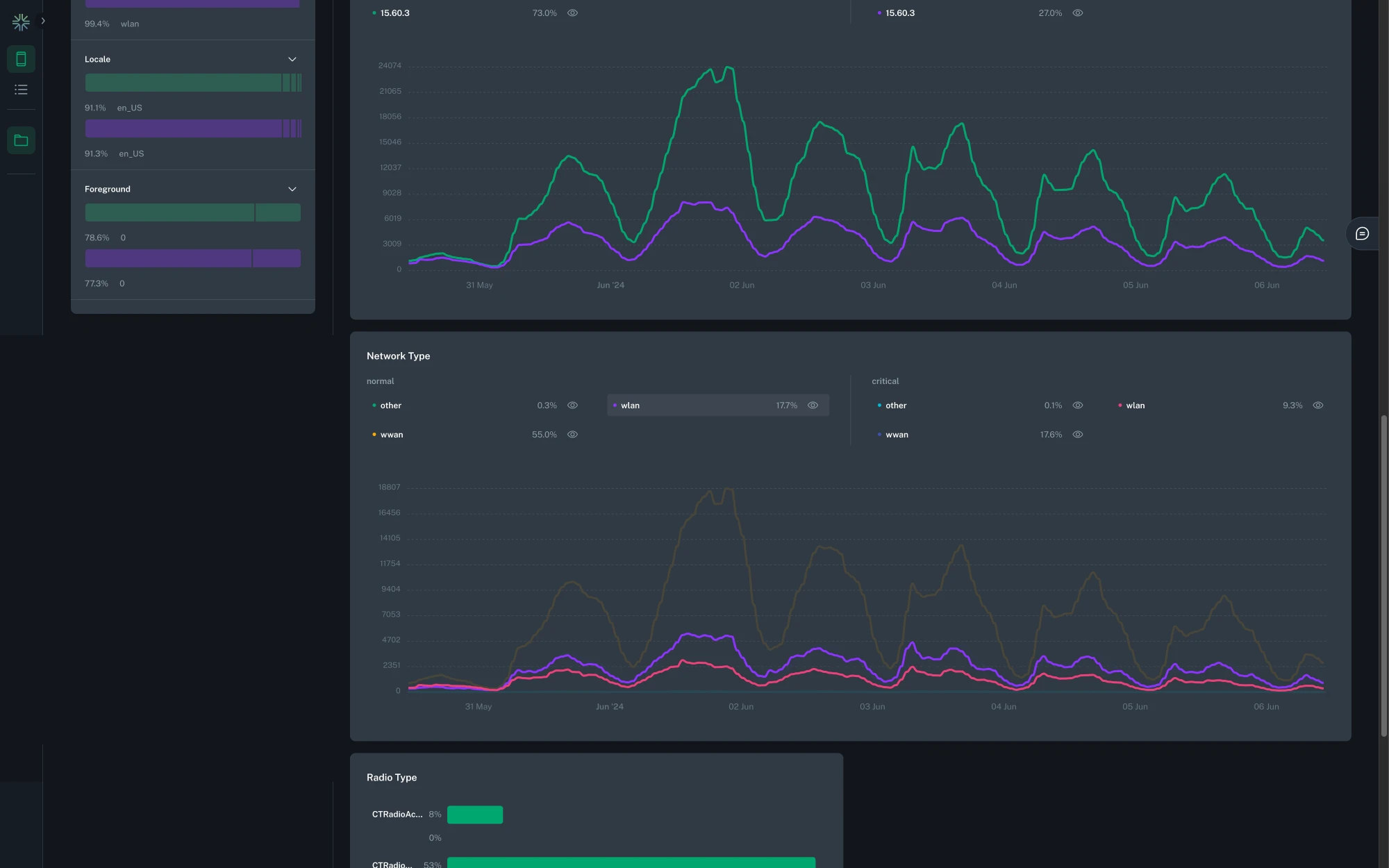
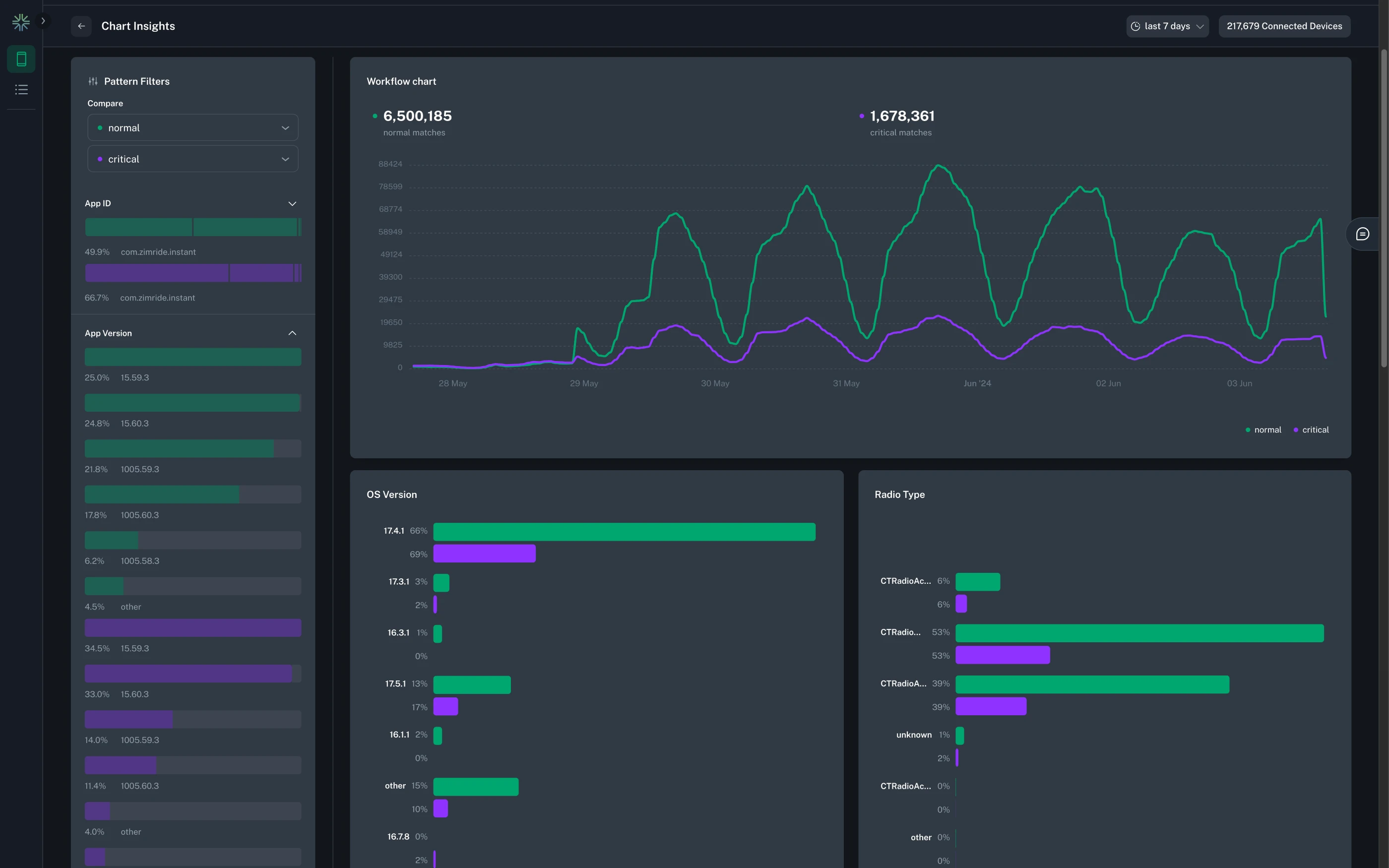
Insights provides detailed visualizations and breakdowns of what's happening in your mobile fleet. Included as part of every workflow, bitdrift captures detailed metadata about the attributes of the users and their devices. This provides and alternative to manually looking through example sessions to find commonalities and patterns amongst impacted users.
Info
Insights are available for workflows with a Plot Chart and/or a Record Session action at this time. They are also only available if data segmentation is enabled.
Pattern Filters
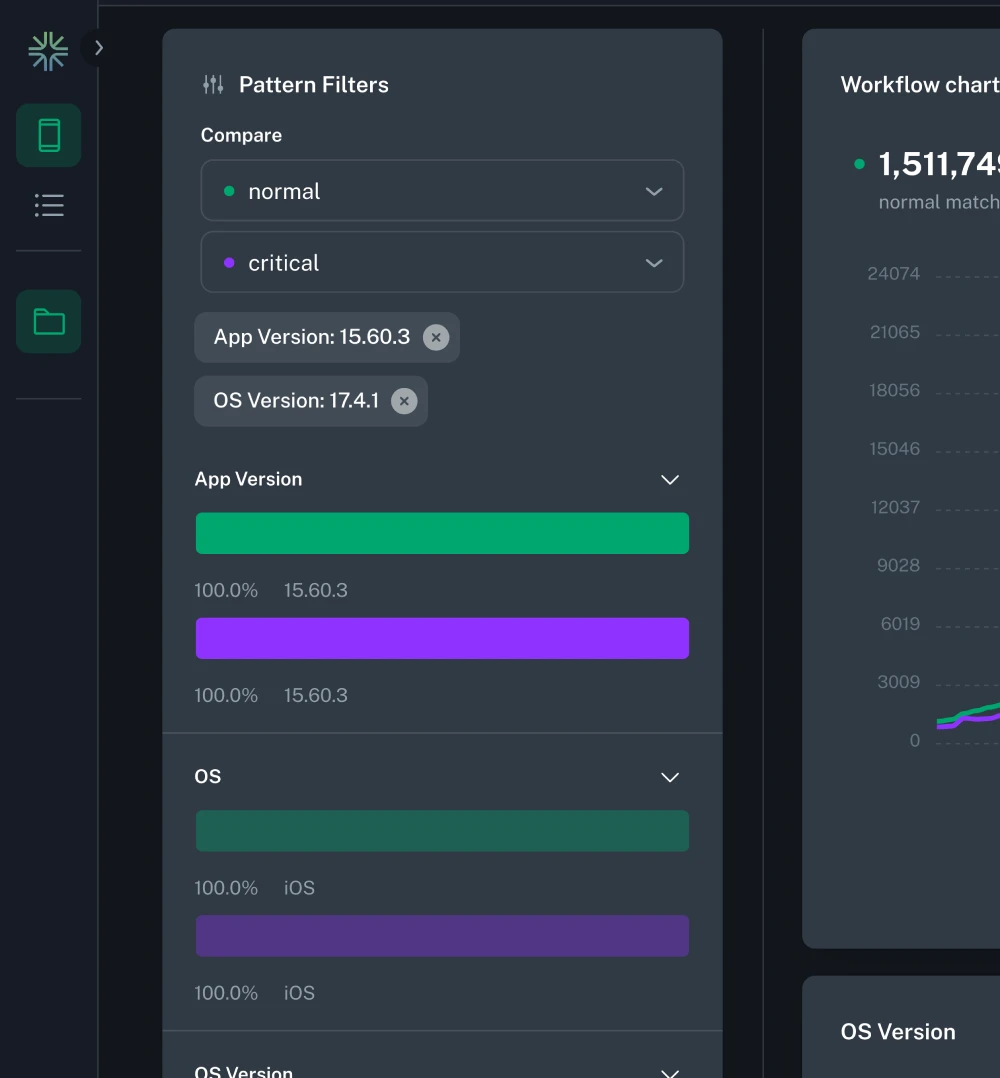
Pattern filters allow you to filter the data displayed in the insights widgets. Filters can be applied by clicking on the bar of the attribute you want to filter by. This works for both the expanded and collapsed view.
Tip
Only one filter per field is allowed, but you can combine filters across different fields.
Comparing Dimensions
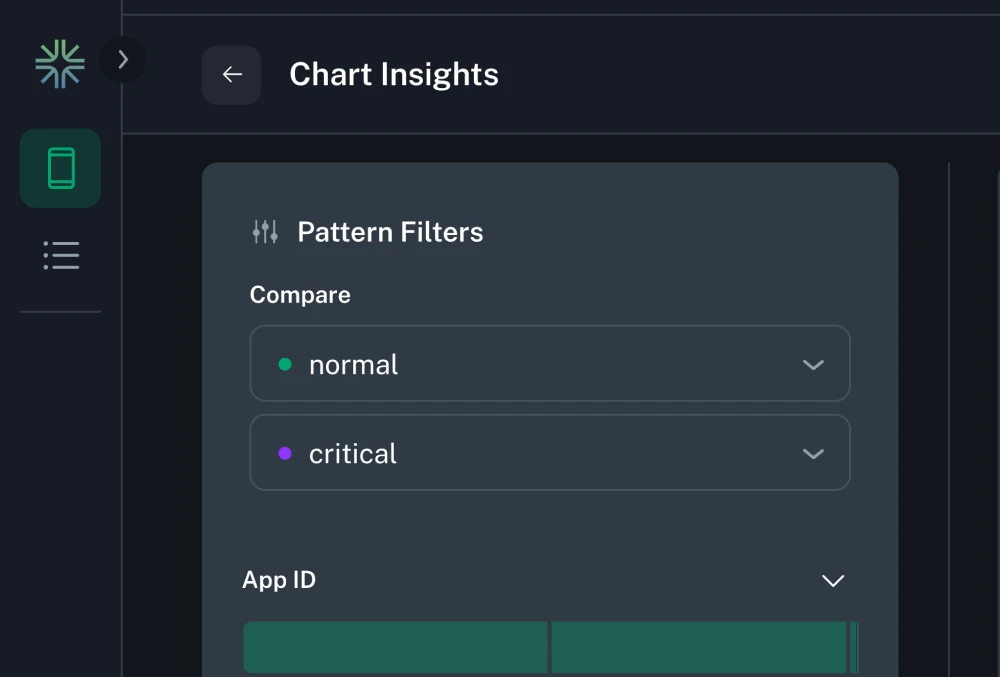
When a workflow has multiple paths leading to a Plot Chart action, insights will allow you to compare the different dimensions. In the pattern filters sidebar, you can select which dimensions you want to compare. Only two dimensions can be compared at a time.
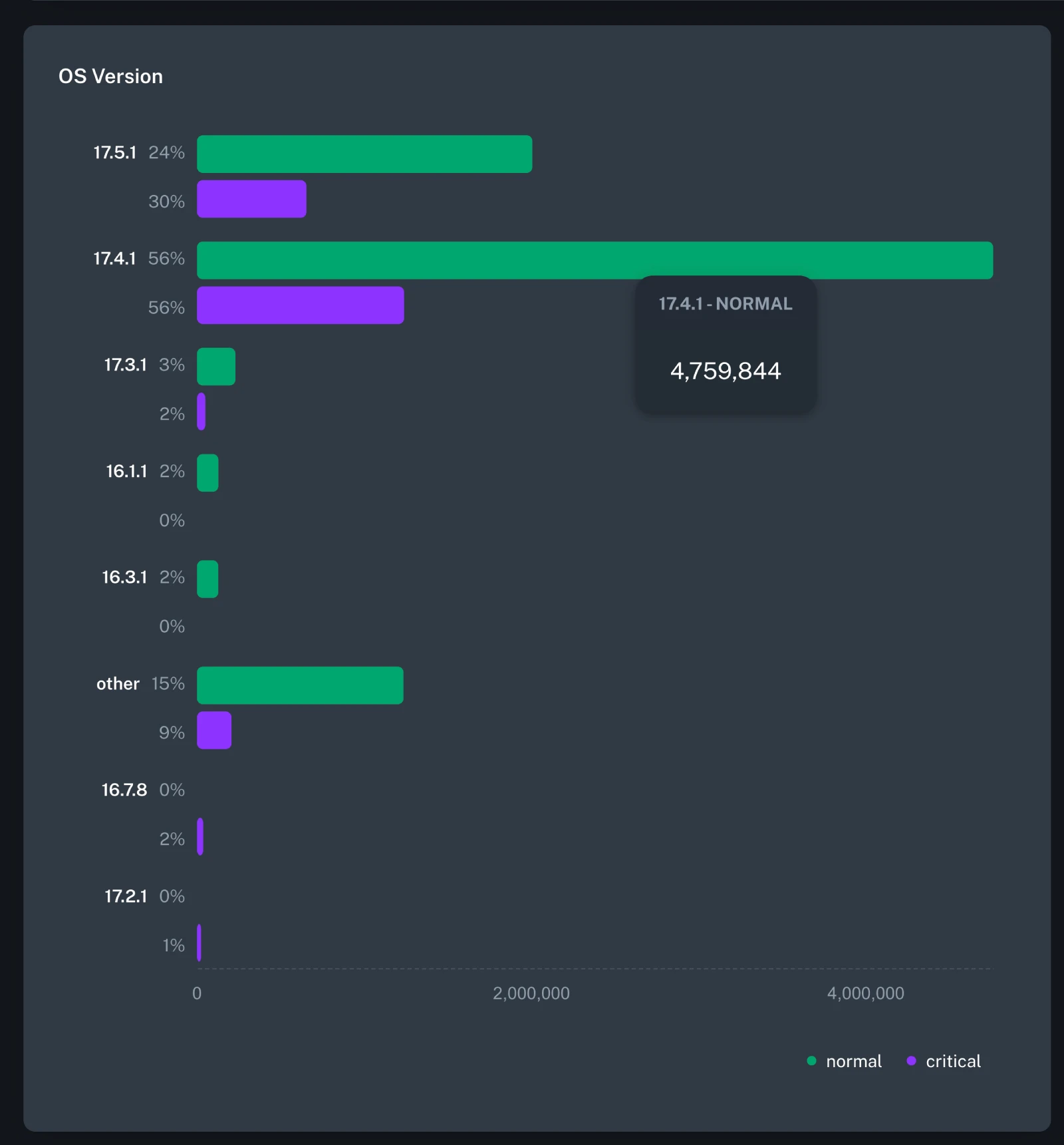
Bar Chart
For bar charts, insights will be grouped so that dimensions can easily be compared.
Time Series
For time series charts, the insights data for each dimension will be displayed in the same chart. You can toggle the visibility of each field value, or can focus on the same field value across different dimensions.