Grouping
Issues are automatically grouped based on error type, stack trace contents, and the originating binary. Grouping can additionally be improved on Android by specifying in configuration which packages belong to an organization.
Uploading Debug Symbol Files
Debug information (or "symbol" files) are required to generate human-friendly stack traces from production apps. See the SDK Guide for uploading debug information files for how to configure manual or automatic uploads for app releases.
In-App Frames (Android)
In order to detect which frames in a stack trace belong to your app, bitdrift automatically looks for fully qualified function names that start with your applicationId/packageName. If you want to further customize this logic you can do so via the Company Settings menu.
To add a package prefix:
- Navigate to Company Settings > Issue Grouping.
- Select Add Package Prefix and enter your application's package name or company's reversed domain (e.g.
com.company), adding as many entries as needed. - Once registered, all in-app frames that match that prefix will be attributed to your app.
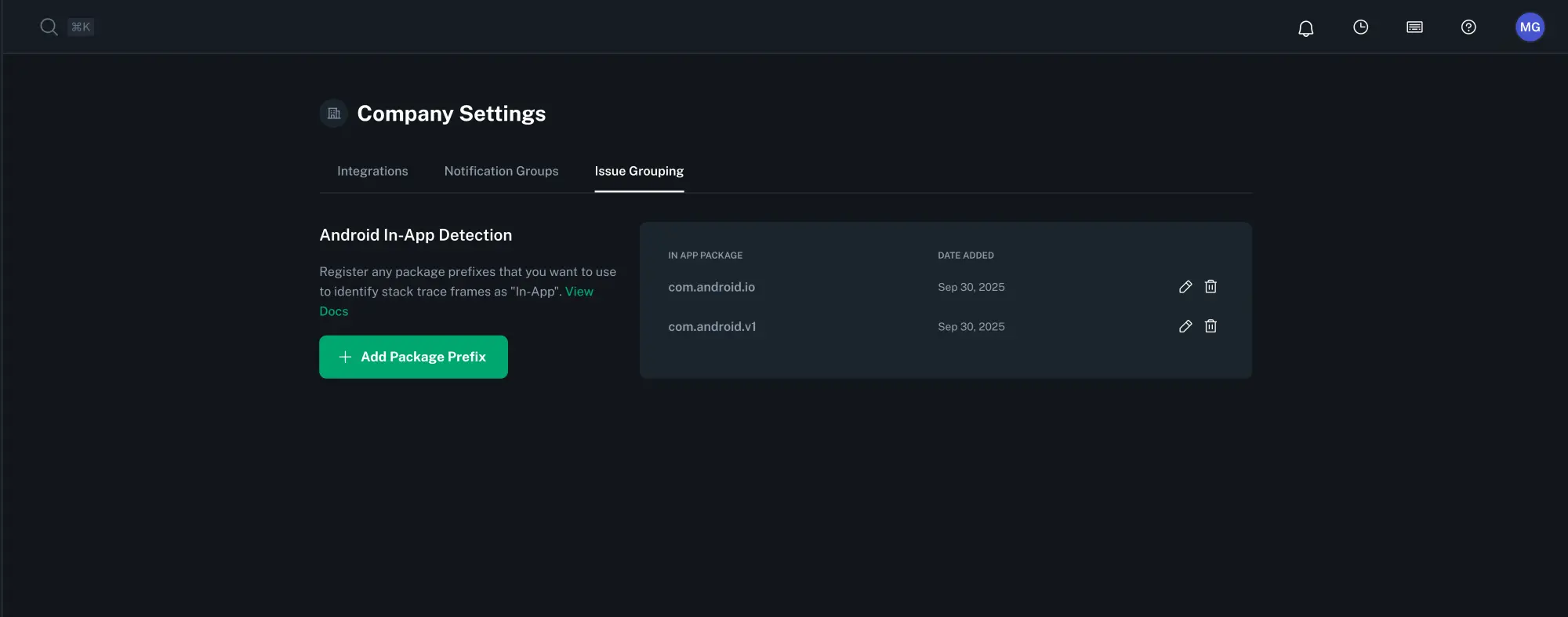
Existing Issue Groups
Uploaded package names will only be applied to new issue events. Existing events will not be re-grouped retroactively.