Filter / Compare
To help you closely monitor app releases, every chart in the dashboard supports filtering and comparing across app versions and time periods.
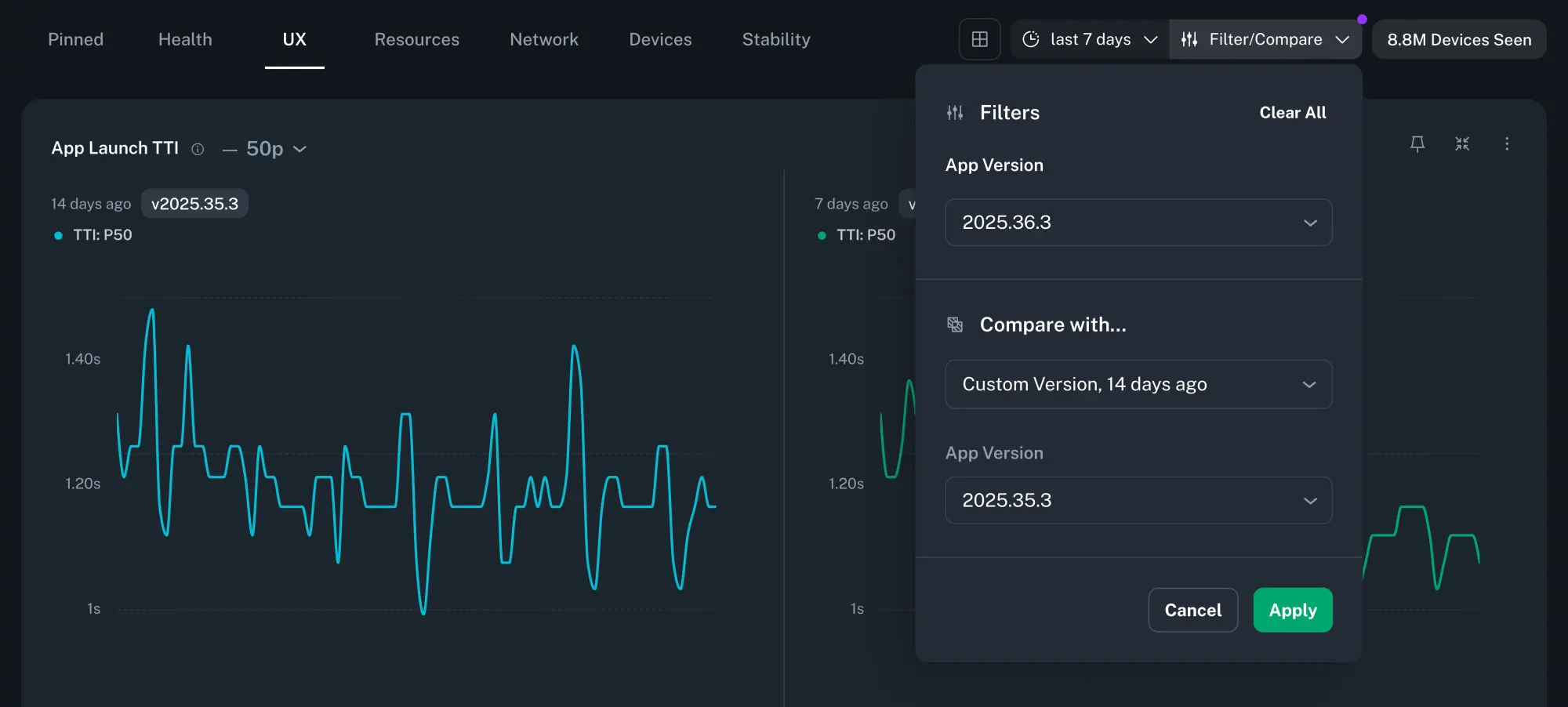
Filter
App Version
Filtering by App Version lets you focus on a specific release, typically the current one.
Compare
App Version
Comparing App Versions makes it easier to spot regressions between two releases.
Time Window
Time-shifted comparisons allow you to contextualize releases across equivalent time windows. For example, if you release new app versions weekly, you can compare the current release over the last 7 days to the previous release during the 7 days before that (i.e. 14 days ago).
Info
Selected filters and comparisons will persist as you navigate across different Insights pages within an app. However, if you switch apps or close the Instant Insights tab, your filter settings will be lost.