Browse by Feature Flags
The Browse by Feature Flags view provides a purpose-built interface for understanding the relationship between feature flags and app issues. It surfaces every feature flag observed across your app, along with the number of variants, total errors seen, and errors exclusive to each flag.
Feature Flag List
The top-level view lists all feature flags with the following columns:
- Feature Flag — the flag name
- Variants — number of distinct variant values observed
- Errors Seen — total issue events occurrences where the flag was active
- Exclusive Errors — issue events seen only in groups where this flag was active
Use the search bar to filter by flag Name or Variant value.
Flag Detail and Crash Differential
Clicking a feature flag opens a detail view with:
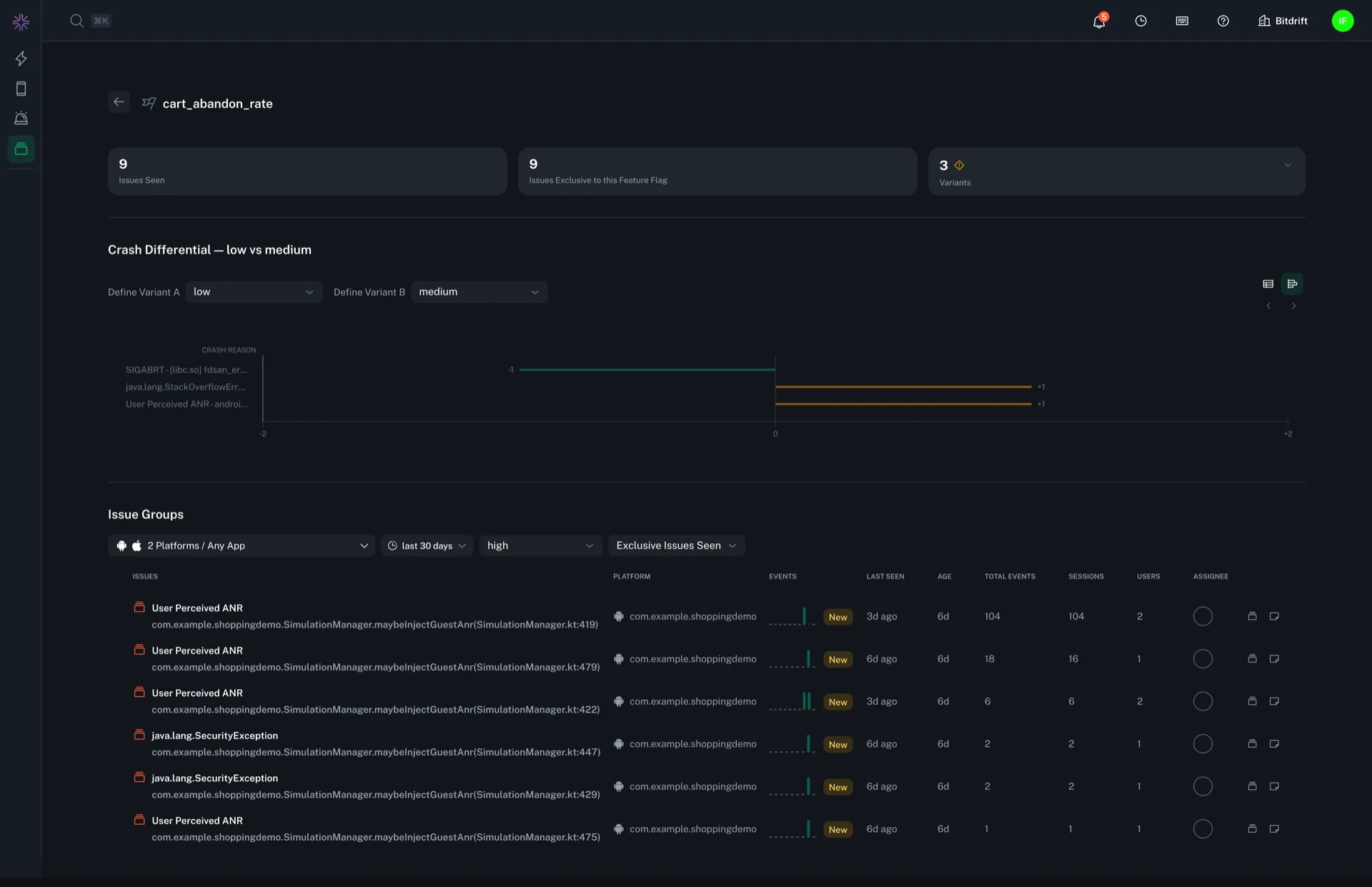
- Summary cards showing total issues seen, issues exclusive to this flag, and a breakdown by variant (including per-variant issue counts and exclusive counts).
- A Crash Differential comparison that lets you select any two variants (e.g. "control" vs "treatment") and see crash reasons ranked by the magnitude of difference between them. This view is available as both a bar chart and a table with per-crash-reason counts for each variant and the computed diff. Clicking into any item takes you to the issue details.
The crash differential makes it straightforward to identify which crashes were introduced or amplified by enabling a flag.
Drilling into Issue Groups
From the flag detail view, you can drill into a filtered Issue Groups list for a specific variant. For example, selecting the "treatment" variant and "Exclusive Issues Seen" opens the standard Issues list filtered to show only crashes unique to that variant.