Workflow: Overview
What are Workflows?
Workflows empower developers to monitor mobile app activity with precision. They enable instant toggling of observability and targeted selection of data for ingestion, from a single client to millions of devices. Deploying a workflow takes seconds, freeing you from the lengthy mobile release cycles that typically take weeks or months.
Use Cases
Workflows prove invaluable in many scenarios:
- Issue Investigation: Toggle detailed granular instrumentation for specific clients during short-lived periods to diagnose ongoing problems.
- Release Health Monitoring: Configure rules to augment data collection during app version rollouts.
- A/B Test Analysis: Contrast user behavior and app performance between different groups during experiments.
- Error and Performance Monitoring: Create long-lived monitoring to catch elusive errors and edge cases.
- User Journey Analysis: Track and understand user flows at each stage.
Core Concepts
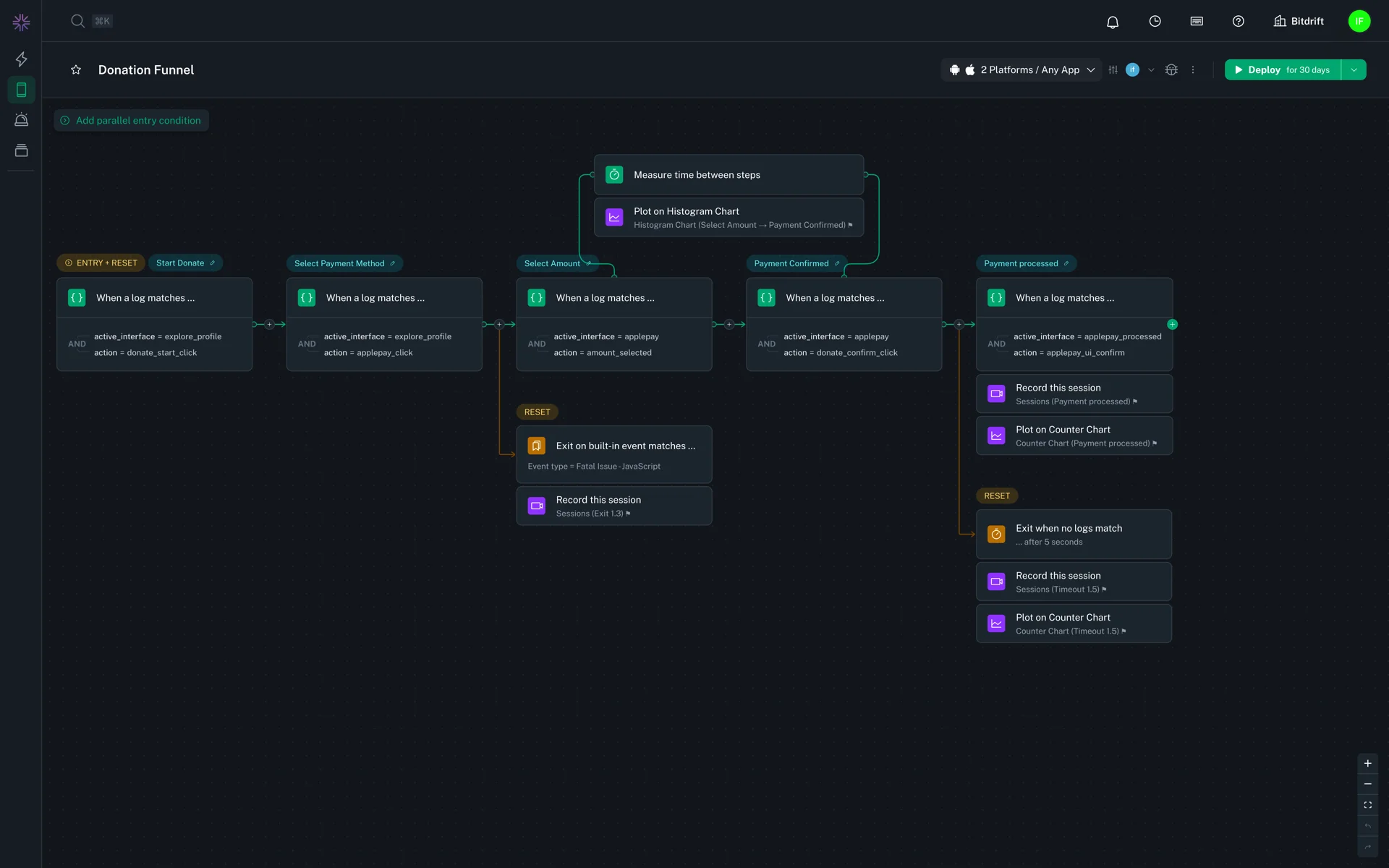
- Steps: The building blocks of workflows. Each step in a workflow defines matching rules. As your application emits logs, the Capture SDK attempts to match those logs against the rules in a step.
- Actions: Optional behaviors that can be attached to steps, such as Plot chart or Capture session. When a log matches the rules in a step, the attached actions are triggered.
- Flows: A series of one or more connected steps. The Capture SDK evaluates the steps in a flow sequentailly. When a match is made the SDK evaluates subsequent logs against the next step in the flow, and so on until every step has been matched and the flow completes.
- Workflows: Group together one or more related flows that are evaluated in parallel and can share actions. You might for example create two flows that generate a numerator and a denominator for calculating a rate.
- Reset Executions: A special type of step that resets a flow when a log matches its matching rules.
- Built-in Events: A set of logs that the SDK automatically tracks, including app and device states.
- Exploration: A container that groups a collection of workflows.
See the included Workflow Examples to get started right away.